
Log a match
Already played? Enter the score, or take a photo of the scoreboard. Your opponent confirms it.
- 1.
On a phone, tap +, then Log a match. On a computer, open Matches, then Log a score.
- 2.
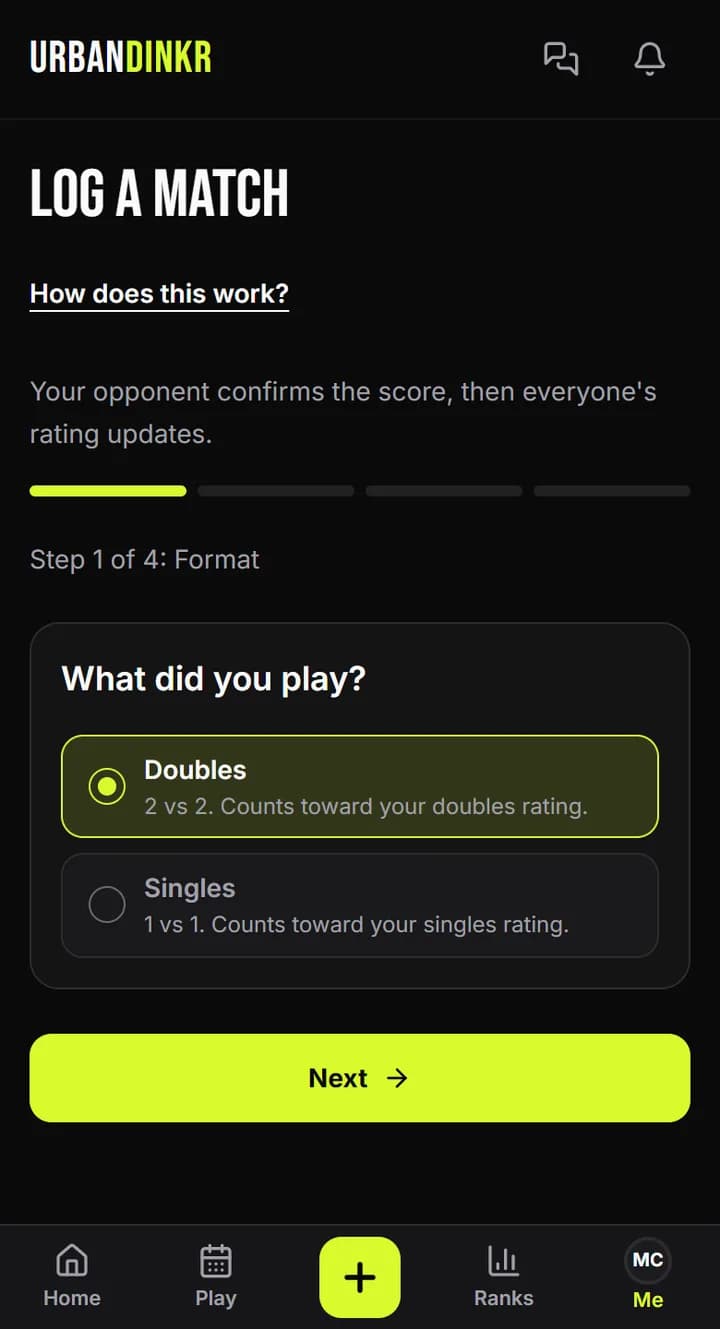
Pick Doubles or Singles, then tap Next. Add Your partner if it's doubles, then your opponents. Everyone needs an URBANDINKR profile.
- 3.
Optional: under Score photo, tap Take photo or Choose from gallery. If the score can be read, the numbers fill in for you.
- 4.
Under Scores, check Game to (points) and the scores, yours first. Fix anything that's wrong. For best of 3, tap Add game.
- 5.
Pick the Date: Today, Yesterday or Earlier. You can log matches from the last 14 days.
- 6.
Optional: under Court, pick a recent court, search, or tap Near me. You can skip this.
- 7.
Check the score, then tap Send for confirmation. It waits under Matches, then Sent, until an opponent confirms. Then ratings update.
Score rules
The winner needs the game's points and must win by 2. Past 10-10 in a game to 11, the winner needs exactly 2 more.
Made a mistake?
While it's waiting, find it under Matches, then Sent, and tap Delete. Then log it again.
Score photo
The photo stays with the match as proof, marked Score photo. It doesn't replace your opponent's confirmation and doesn't change a rating. Only the players in the match and URBANDINKR admins can see it, unless every player agrees to make it public.
Score photo or Photo verified?
A photo added after the game is a Score photo. The Photo verified badge needs a lineup photo before the game and a score photo after it, so use Start a match if you want the badge.
Reading the score from the photo
With Read the score from the photo on, the photo and the players' names go to Anthropic, an AI provider, to read the score. Turn it off before you add the photo and you enter the score yourself. Either way, check the numbers before you send.
If you don't send it
Nobody is told anything until you tap Send for confirmation. A photo from a form you never sent is deleted after about a day.
Using a photo twice
Each photo can go with one match only. If you delete a match that's waiting, you can use its photo again. If your match was disputed or expired, take a new photo, or log it without one.
If nobody confirms
Your opponents have 72 hours. After that the match expires and no rating changes.
Still stuck? Contact us