
Report and block
Tell us about a problem, or stop seeing someone.
- 1.
A player: open their profile and tap Report or Block.
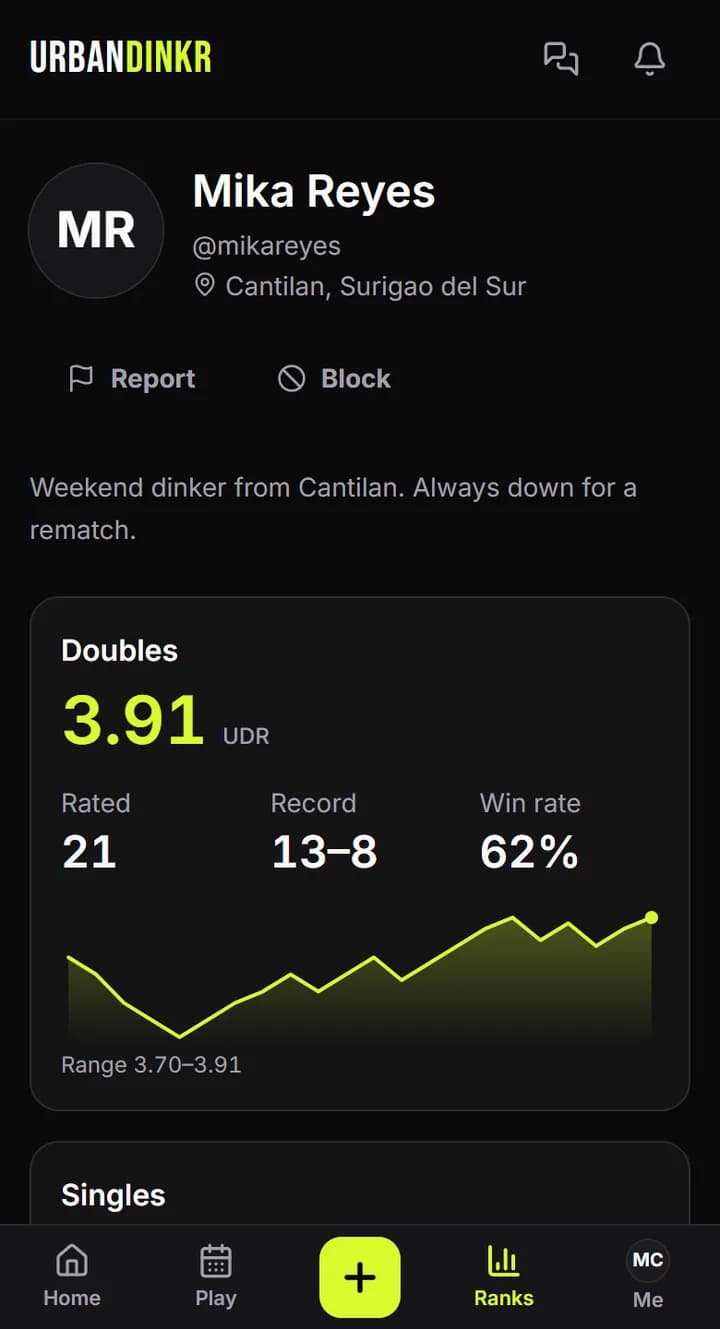
- 2.
A session: open it and tap Report this session. The host won't see who reported it.
- 3.
A comment: tap the flag on the comment and choose what to report.
- 4.
A message: use Report message on it. In a one-to-one chat, the chat's info also has Report and Block.
- 5.
A match photo: tap Report photo beside it on a match you played in. It then stays hidden for you. If it was public, your report also takes back your yes, which hides it for everyone.
- 6.
An Urban AI reply: tap Report under the reply.
- 7.
Blocking hides your direct messages and feed posts from each other, and hides their messages from you in shared chats. They aren't told. Their public profile stays public.
Unblocking
Tap Unblock on their profile, or open Messages and then Settings.
Photos on a match you haven't confirmed
A photo from another player stays hidden until you tap Show photo, with Report photo beside it.
If you're in danger
Call 911. To report a safety concern to us, including about a child, use the contact form and pick Child safety or another safety concern.
Still stuck? Contact us